Otium Word - Relax Puzzle Game
Solitaire Relax® - Solitaire Card GamesWord
4.8182.00 Reviews
- Version
- 1.2.0
- Installs
- 100.00K
- Age Rating
- Everyone
Screenshots
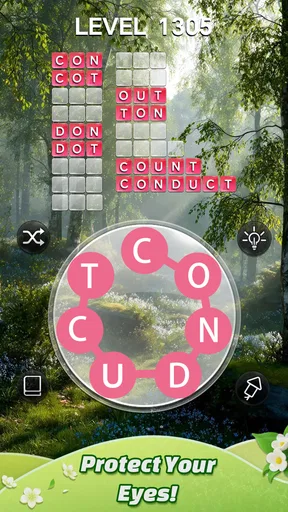

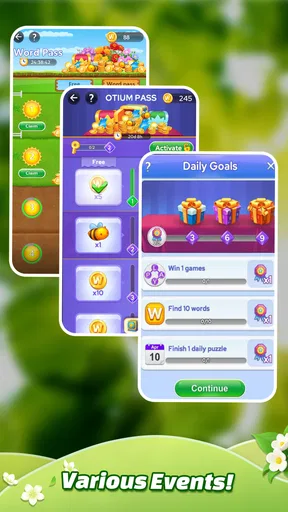
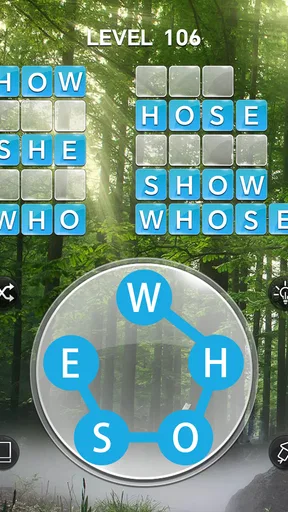
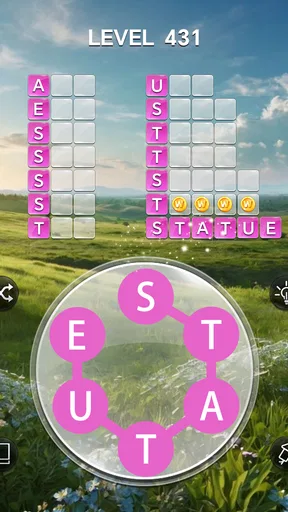
Our Review of Otium Word - Relax Puzzle Game
 Analysis by Appyee
I spent time with Otium Word as a casual word game, but what stood out most was how much the experience depends on comfortable reading, steady touch control, and the situation in which you play. It is designed for short puzzle sessions rather than a long story or a competitive multiplayer routine, so I can see its appeal during a commute, a quiet break, or a few minutes before bed. At the same time, its relaxed presentation does not automatically make every part of the game easy for every player.
This is a free word game from Solitaire Relax® - Solitaire Card Games, with a 4.8 average from around 1.8 thousand ratings and over 100 thousand installs. It is intended for Everyone, runs on Android 6.0 or later, and the current version is 1.2.0. Those details make it approachable on a broad range of Android devices, including older phones that may not run newer games comfortably. Optional in-app purchases range from $0.49 to $49.99 per item, so the free entry point is useful, but I would still keep an eye on purchase prompts if I were handing the phone to a child.
How the word-puzzle layout feels to read and navigate
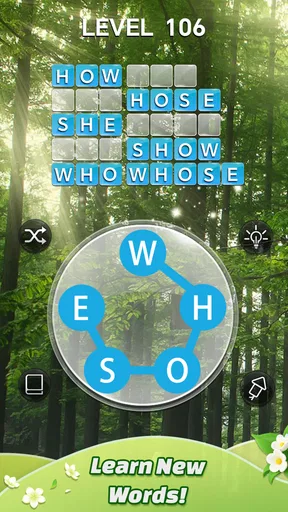
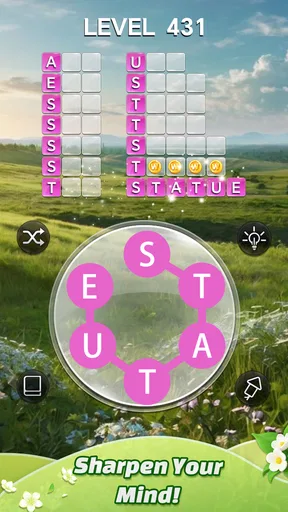
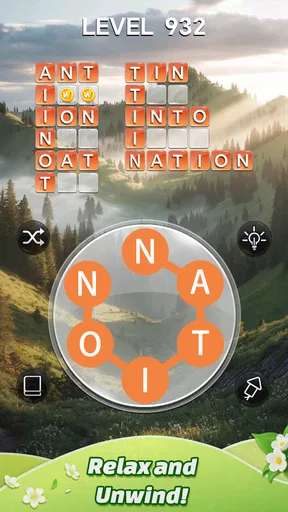
The central idea is familiar: I look at available letters and connect them to form words. That makes the first few moments easy to understand because there is no complicated control scheme to learn. Compared with a traditional crossword, I do not need to manage a large grid of clues and entries. Compared with a standard word-search puzzle, the focus is less on scanning a crowded page for hidden terms and more on recognizing useful combinations from the letters presented.
That difference matters for readability. A crossword can be demanding because clues, numbering, and crossing answers compete for attention. A word-search can become visually busy when the board is packed. Otium Word feels more suitable when I want one clear language task at a time. I can concentrate on the letters, test a possible word, and move on without maintaining a complicated chain of clues in my head.
I found this especially helpful when my attention was divided. During a short waiting period, I could return to the puzzle without reconstructing a long narrative or remembering several objectives. The game’s word-based structure gives each small session a natural stopping point. That is a genuine strength for people who prefer predictable, bite-sized play rather than games that punish them for leaving after only a few minutes.
Navigation is also easier for players who already understand word puzzles than for someone who expects a fully guided tutorial. The basic interaction is intuitive, but the game still assumes that the player is comfortable experimenting with letters and interpreting the result. I would recommend starting slowly rather than swiping quickly through every possible combination. That approach makes it easier to notice how the puzzle responds and reduces accidental moves.
One practical tip is to use the game as a vocabulary warm-up instead of treating every round as a race. When I pause to group letters by likely beginnings, endings, or familiar short words, the board becomes less overwhelming. This is more useful than randomly dragging across combinations, particularly for players who tire quickly when a screen presents several choices at once.
The developer’s choice to place this in the word category also sets the right expectation: language recognition is the main activity, not reaction speed. That makes it a better match for someone who enjoys finding patterns and recalling words than for someone looking for action, animation, or a deep strategic system. If you want a classic crossword’s clue-solving depth, this will feel lighter. If you want something less visually dense and more immediate, it can be a comfortable alternative.
Why the presentation can help some players
A simple word-focused format can reduce cognitive switching. I am not constantly moving between a map, inventory, character abilities, and puzzle board. That is valuable for players who find multi-layered games tiring or distracting. The short-session design also makes it possible to stop after a single puzzle instead of committing to a long play period.
There is another less obvious benefit: the game can work as a low-pressure transition activity. I could use it after work to shift attention away from notifications without taking on a demanding challenge. Someone who enjoys language practice, casual mental stimulation, or quiet repetition may appreciate that middle ground. It is not a formal learning tool, but the act of considering letter combinations can still feel more mentally engaging than passively scrolling.
However, readability is not only about the words themselves. It also depends on the phone’s screen size, brightness, and display settings. On a smaller device, letter tiles and interface elements may feel more cramped than they would on a larger screen. I would test the game with the phone held at the distance I normally use, rather than assuming that a clear screenshot means it will be comfortable for everyone.
Touch control, motion, and sensory comfort
The core action appears well suited to touch, but word connection still requires deliberate finger movement. That creates a trade-off. A player with accurate touch control can move naturally from one letter to the next, while someone with tremors, limited dexterity, or difficulty maintaining a steady swipe may find the same action frustrating. I would not describe the game as automatically accessible simply because its rules are simple.
For players with motor limitations, the most useful adjustment may be behavioral rather than in-game: hold the phone securely, use one finger consistently, and avoid playing while walking or riding over a rough surface. A stable position can make a noticeable difference when a puzzle depends on tracing a particular sequence. Playing with the device resting on a table may be more comfortable than holding it in midair.
This also reveals an important difference from some tap-based word games. If an alternative lets me select letters one at a time with separate taps, it may be easier for a player who struggles with continuous gestures. Otium Word is a better fit when connecting letters in a flowing motion feels natural. I would choose a different word puzzle for someone who needs the smallest possible touch movements or who regularly experiences missed swipes.
Sensory comfort is equally personal. Word puzzles are generally calmer than action games because they do not demand rapid visual tracking or split-second reactions. That makes this a sensible option for a quiet environment, a rest period, or a player who prefers low-intensity interaction. Still, a calm game can become tiring if the text is difficult to distinguish or if the player needs stronger contrast than the phone’s default presentation provides.
I recommend trying the game with the device’s own display settings adjusted to personal needs. Increasing system text size may not change every game element, so it is worth checking the actual puzzle screen rather than relying on the operating system setting alone. A brighter display can help outdoors, while a lower brightness level may be more comfortable at night. These are simple steps, but they make the difference between a pleasant short session and a game that causes eye strain.
Sound preferences are another reason to test the game in the intended setting. Someone playing in a waiting room, office, library, or bedroom may want the phone silent or at a low volume. I would not assume that a relaxing word game is automatically suitable for every quiet environment; the safest approach is to check the device before beginning. For players who rely mainly on visual feedback, the clarity of the on-screen response matters more than decorative effects.
Using it in everyday situations
My favorite use case is a short pause when I have enough attention for a puzzle but not enough time for a full game. For example, while waiting for an appointment, I can open a round, work through a few letter connections, and put the phone away without feeling that I have abandoned a larger task. This is where the game competes well with endless scrolling: it gives the break a beginning and an end.
It can also suit a shared-device household. The Everyone age rating makes it easier to consider for family use, although I would still supervise purchases and decide whether the word difficulty is appropriate for the child using it. A younger player may enjoy the letter interaction but need help with unfamiliar vocabulary. An adult who wants a quiet brain teaser may find the same simplicity relaxing rather than childish.
For older players, the key question is not whether the rules are simple, but whether the visual and touch demands feel comfortable. Someone who enjoys word games but dislikes crowded crossword layouts may prefer this more direct format. Someone who needs very large text, highly separated controls, or alternative input methods should try it cautiously and compare it with a puzzle that offers more explicit accessibility controls.
It is also a reasonable choice for players who are new to mobile word games. The familiar concept lowers the learning curve, and the free price means there is no purchase required just to discover whether the interaction suits you. I would begin with short sessions and judge the game by comfort rather than by the first few puzzles alone. A game can be easy to understand yet still become tiring if the repeated gesture does not suit your hands.
The game is less convincing for people seeking a social experience, a substantial campaign, or a detailed educational program. Its appeal is in the immediate puzzle loop. If your ideal word game includes live opponents, extensive clue explanations, or a large collection of formal learning tools, a dedicated crossword, spelling, or multiplayer title may serve you better.
Where the free model and repetition deserve attention
Being free is a strong advantage for trying Otium Word without commitment, but the presence of optional purchases changes how I approach it. The available purchase range stretches from small low-cost items to much larger ones, so I would treat the game as free-to-start rather than assuming that every useful convenience will remain outside the purchase system. The sensible habit is to decide in advance whether I am willing to spend anything and to use device purchase controls when children share the phone.
There is also a repetition trade-off. A focused word-connection loop is relaxing precisely because it is easy to return to, but that same consistency may feel limited after extended play. I enjoy it more in compact sessions than in a long uninterrupted sitting. If I play for too long, the activity can shift from pleasantly absorbing to routine, especially if I am looking for a major change of pace or a more demanding mental challenge.
That does not make the design a flaw for everyone. Players who like predictable routines may see repetition as a benefit. The game can become part of a daily wind-down or a small break between tasks. My advice is to use it intentionally: play a few rounds when you want a calm language puzzle, then switch activities when the letter search starts feeling automatic rather than enjoyable.
The current version is 1.2.0, and the game supports Android devices beginning with version 6.0. That broad compatibility is useful if I am reviewing an older phone or installing it on a device that is not suited to demanding three-dimensional games. Performance expectations should still be realistic: compatibility with an older operating system does not guarantee identical comfort on every screen size or hardware configuration.
Who should choose it, and who should look elsewhere
I would recommend Otium Word to someone who wants a free, low-pressure word puzzle for brief sessions and prefers connecting letters over solving long clues. It is particularly appealing if you like games that can be understood quickly, paused easily, and played without the sensory intensity of an action title. The strong user response, reflected in its 4.8 average and roughly 1.8 thousand ratings, supports the idea that its straightforward approach is working for many players.
I would be more cautious about recommending it to someone with significant difficulty performing swipe gestures, someone who needs guaranteed large-print controls, or someone who depends on extensive accessibility settings. In those cases, a tap-by-tap word game with stronger customization may be a better first choice. I would also point competitive players toward a game built around rankings or live matches, because a relaxed solo puzzle serves a different purpose.
My practical recommendation is to install it when you want a compact vocabulary-style distraction, then test three things immediately: whether the letters are comfortable to read, whether your finger can connect them accurately, and whether the game remains pleasant after several rounds. Those checks answer more than the store summary can. They also reveal whether the game fits your hands, eyes, and usual playing environment.
Overall, I see Otium Word as a focused and approachable word game rather than a complete solution for every kind of player. Its strongest quality is the clean mental task: find words, make progress, and stop whenever the break is over. Its main limitations come from the same simplicity, along with the practical demands of reading a mobile screen and making controlled gestures.
For me, it works best as a calm companion for spare moments, especially when I want something more purposeful than scrolling but less demanding than a crossword marathon. The free starting point, Everyone rating, and support for older Android versions make it easy to try. Just keep expectations grounded, pay attention to touch and visual comfort, and remember that a different word game may be the better inclusive choice when a player needs highly adjustable controls. The best reason to try it is not that it promises to suit everyone, but that its small, readable puzzle loop can fit comfortably into the right person’s day.
Verdict
Strengths of Otium Word - Relax Puzzle Game
- Calming word puzzles provide a relaxing way to unwind during short breaks.
- Simple controls make the game accessible for casual players of different ages.
- Progressive challenges keep the gameplay engaging without feeling overly demanding.
- Offline play lets you enjoy puzzles without a constant internet connection.
- Clean visuals and gentle presentation create a pleasant, low-pressure atmosphere.
Limitations of Otium Word - Relax Puzzle Game
- Some puzzles may feel repetitive after extended play sessions.
- Difficulty can vary noticeably between levels and puzzle categories.
- Hints or extra assistance may be limited unless earned or purchased.
- Players seeking competitive features may miss leaderboards or multiplayer modes.
- Ads may interrupt the relaxed experience, depending on the version and settings.
Other Releases by Solitaire Relax® - Solitaire Card Games
View All
Otium Mahjong: Wafū Tile Match
Board4.8
Similar Picks in This Category
View All
Word Search - Word Puzzle Game
Bluetile4.8

Word Search Quest - Puzzles
Blackout Lab4.8

CodyCross: Crossword Puzzles
Fanatee, Inc.4.7

Words of Wonders: Crossword
Fugo Games4.9

Wordscapes: Word puzzle game
PeopleFun4.7

Word Search Explorer
PlaySimple Games4.9
Frequently Asked Questions
What is Otium Word - Relax Puzzle Game?
Otium Word - Relax Puzzle Game is a casual word puzzle designed for players who want a calm and enjoyable way to exercise their vocabulary. Instead of focusing on fast timers or competitive pressure, the game generally emphasizes discovering words, completing relaxing puzzles, and progressing at a comfortable pace. It can be a suitable choice for short breaks, quiet evenings, or anyone who enjoys word games with a peaceful atmosphere.
How is the gameplay in Otium Word different from a typical word game?
The main appeal of Otium Word is its relaxed approach to word puzzles. Players typically connect letters, find hidden words, or complete level-based challenges while enjoying a less stressful experience than in games built around strict time limits. The puzzles may begin simply and become more demanding as you advance, encouraging careful thinking without making every round feel like a competition.
Can I play Otium Word - Relax Puzzle Game offline?
Offline availability can depend on the specific version of the app, your device, and whether certain features require an internet connection. Basic puzzle levels may be accessible without mobile data after they have been downloaded, while advertisements, cloud saving, updates, or optional online features may require connectivity. It is worth checking the app’s store listing and testing offline access before relying on it during travel.
Is Otium Word suitable for beginners and children?
Otium Word can be approachable for beginners because word puzzles usually introduce their mechanics gradually, allowing players to understand the controls before facing more challenging levels. However, suitability for children depends on their reading ability, vocabulary, and the advertising or in-app purchase settings available in the version you install. Parents should review the store rating, privacy information, and purchase controls before allowing unsupervised use.
Does Otium Word contain ads or in-app purchases?
Many free-to-download puzzle games support development through advertisements and optional in-app purchases, and Otium Word may use similar features depending on the platform and region. Ads can appear between levels or when players request extra hints, while purchases may provide coins, remove advertising, or unlock helpful items. Before downloading, review the current store page for pricing and payment details, since these can change with updates.
Play our best games!


